5 Ways to Improve Your Cyber Security that Every business should know

Introduction

Technology has been a boon for the world, but it has also created a challenging obstacle: cyber security. In September 2022, Australia’s lax cyber security measures led to severe incidents with Optus and Medibank.

With that said, Australians have learned their lesson and are now awakening to the need to bolster their digital setups with better security.

A survey highlights that 32% of Aussie business decision-makers believe that cybersecurity is the most major challenge they expect to face in 2023. Moreover same survey also highlights that 37% wish to prioritize cyber security measures in their systems.

Several effective, low-cost methods recommended by top IT-managed service companies can help reinforce your digital systems. Let’s explore them.

How can you enhance  cyber security?

Between 2020 and 2022, people submitted 203,306 cybercrime reports to ACSC.

cyber security

There are five things you can do to protect yourself from potential cyber threats:

  1. Get to Know About MFA

MFA stands for multifactor authentication. It is one of the most robust security layers you can add to your app account. It has a simple mechanism too:

  • The first factor in the authentication of your credentials is the user ID and password you provide.
  • The system generates the second factor in real-time, like a Time Password, which more independently ascertains the identity of the user trying to log in.

Since this mode of verification uses two factors for authentication, people also call it 2FA.It can be inbuilt into the system during custom software development.

  1. How to Use SPF, DKIM, and DMARC for Securing Inboxes?

SPF, DKIM, and DMARC protect you from phishing and other harmful emails through their security mechanisms.

  • SPF (Sender Framework Policy): Every email sent by a business to a recipient comes from the servers the business is registered on. SPF helps cross-check that these emails indeed originated with the business and not through a suspicious impersonator.
  • DKIM (Domain Keys Identified Mail): DKIM works like your own signature works on a chequebook. Every email is cryptographically signed with the business’s digital signature, which can be mathematically verified to authenticate its origination.
  • DMARC (Domain-based Message Authentication Reporting and Conformance): This security mechanism is like the gatekeeper to your inbox. Depending on whether the SPF and DKIM authentications were successful, the DMARC can reject emails, quarantine them, or you can specify what actions to take.
You can take the help of an IT-managed service company to set this up for you.
  1. Implementing Conditional Access Policy: Can This Secure Your Website Data?

As a website owner, you can add pre-screens to limit your website’s audience in Australia.

For example, if you wish to protect your website data from a potential cyber threat originating in Thailand, you could request your IT-managed services to build a website access restriction for the traffic incoming from that country.

  1. Conduct User Awareness Training

Training your personnel to be aware of potential threats, anomalies, and patterns is a crucial step you can take to fortify your cybersecurity.

The Australian Cyber Security Centre provides Guidelines for Personnel Security that are meant for training personnel in cyber security.

  1. Are Regular Backups of Any Help?

Backing up data is the most underrated activity for maintaining cyber security, but it is that much more important. Digital data can be lost or corrupted due to various reasons, such as physical damage to machinery or server issues.

To safeguard your information from permanent loss, include scheduled data backups in your cybersecurity protocol.

Wrapping Up

Ultimately, your preparedness against cyber threats will protect your systems’ integrity and data.

Moreover, the five methods above are easy to implement, especially with a reputable IT-managed services company like Technowand.

Technowand helps you maintain the security of all your digital systems through our IT-managed services. These services offer website development with cutting-edge security mechanisms using the latest encryptions and protocols to safeguard your operations from hackers.

To know the full scope of the security impact that Technowand can bring to your business, get in touch with us.

Strategies to Improve Customer Experience through IT managed services providers.

Creating a positive customer experience is vital for IT-managed service providers to succeed. By enhancing satisfaction, loyalty, and promptness, businesses can stand out from competitors and build lasting client relationships. Therefore, in this article, we’ll delve into some essential strategies that some of the best IT-managed service providers can employ to enhance customer experience and drive business growth.

These approaches will set your company apart in a competitive market and ensure the delivery of high-quality  Custom It managed services providers that customers both expect and deserve.” There could be a list of managed IT service providers in Canberra, but choosing an appropriate one is quite necessary to deliver exceptional customer service.

Understanding customer experience through IT service providers.

IT managed service providers in Canberra ensure to deliver Customer experience that includes all stages starting from pre-sale, service, and post-service stages. The following factors help to improve customer service :

1. Communication and Responsiveness: Timely and clear communication is the main element. Customers anticipate regular updates on their IT  service requests and expect proactive communication regarding any delays or changes.

2. Service Delivery: The way services are delivered—either on-site or remotely—significantly impacts Client experience. IT managed services providers should make sure to be punctual, and professional and should be proactive in resolving the customer’s issue.

3. Technical Expertise: Clients depend on our IT managed service specialist to resolve complex IT issues effectively. So Proficiency and technical knowledge are essential for establishing trust and ensuring satisfaction for the customers.

4. Problem Resolution: Quickly and efficiently resolving technical issues reduces downtime and frustration enhancing customer satisfaction and loyalty.

Improving customer experience through  IT-managed  providers

In the evolving field of IT-managed services, improving customer experience is essential. IT support is crucial for managing and optimizing IT infrastructures across industries. However, delivering outstanding customer service extends beyond technical proficiency; it necessitates a comprehensive approach that blends technology and prompts human responsiveness. Here are some essential strategies to enhance customer experience in IT-managed services:

Using Advanced Technology

Utilizing modern technology is crucial for advancing IT-managed services and enhancing customer experience. By integrating tools like smart devices, mobile apps, and IoT, IT service providers can achieve more efficient service delivery, real-time monitoring, and proactive maintenance. This integration boosts operational efficiency, reduces response times, and improves overall customer satisfaction.

Efficient communication and service delivery

Effective communication is crucial for a positive customer experience. Keeping customers informed and engaged throughout the service process helps in proper It service delivery. The following methods help in the proper delivery of information.

Real-Time Updates:  Implement automated systems to provide customers with real-time updates on the status of their service requests. Additionally, include notifications for appointment scheduling, IT technician arrival times, and job completion.

Customer Portals: Create customer portals that allow clients to log in to view the status of their service requests, access documentation, and communicate with support teams. This self-service option empowers customers and keeps them informed. Moreover, effective communication is essential to ensure that customers feel valued and well-informed, significantly enhancing their overall experience with IT-managed services.

Empowering IT specialists.

IT  technicians are the frontline representatives of IT service providers. Providing them with the appropriate tools, training, and skills can enhance customer interactions and service quality when delivered. “Comprehensive IT programs boost technician skills and service quality.”

Equipping with the Right Tools: “Provide technicians with modern tools and equipment, including diagnostic tools, mobile devices, and software, to help them solve problems efficiently. Consequently, this enables them to address issues more effectively and improve overall service quality.”

Supportive Work Environment: Create an environment where technicians can easily seek advice and assistance from senior technicians or supervisors.  Moreover, a collaborative atmosphere boosts the overall effectiveness of the IT specialist.

Conclusion

Improving customer experience through  IT managed service providers involves utilizing advanced technology, enhancing communication, empowering field technicians, implementing proactive maintenance strategies, and customizing interactions. Customer service in IT builds lasting relationships through trust, reliability, and exceptional service.” By implementing these strategies, IT service providers can effectively meet and surpass customer expectations. As a result, it leads to increased satisfaction, retention, and business success.  In today’s competitive environment, focusing on customer experience isn’t just advantageous—it’s crucial for achieving sustained growth and differentiation in the IT field services sector. Additionally, we ensure proactive resolution of IT technical issues.

For more details check our website:  https://technowand.com.au/ 

The need for Affordable IT Managed Services for Small business.

What are the benefits of managed IT services?

Many brands, whether small-scale or large enterprises rely on IT-managed services for small businesses. They outsource various business and service-related tasks to IT Managed Service Providers to reduce costs and enhance operational performance.

The increase in demand for these services will potentially increase the need for cost-effective IT-managed services for small businesses that aim to provide services in a very proactive state. This article is mainly for those businesses who is looking to expand their operations so that they can outsource their It service provider to take over their internal procedures.

We ensure to provide managed IT services for small business growth through a wide range of solutions like network security, data backup, and disaster recovery. In this business model, the service provider supplies all the necessary hardware, software, and personnel to meet their clients’ IT needs.

These services are designed to give companies peace of mind regarding their technology-related problems. They offer a 24/7 IT team that can respond quickly in emergencies. Additionally, they provide backup and disaster recovery services, ensuring continuous access to data even during power outages or natural disasters.

What are the benefits of managed IT services?

Are you worried about the safety of your business? Do you feel like it’s not safe for your company to run without an IT expert on staff? Small business IT managed services and support is the best solution to relieve the stress.

Reliable managed IT services for small businesses ensure the company’s data is safe and secure, eliminating the security risks associated with managing your IT infrastructure. These services are proactive, helping you identify and address potential risks before they become issues, making them an excellent choice for small business owners.

The main reason for hiring an IT-managed service provider for small business growth is due to:

  • Enhanced uptime rates
  • Reduced operational expenses
  • Minimized risk of downtime
When is the right time to adopt IT-managed services for small business growth?

However, while managed IT services for small business firms are helpful, it is better not to invest in them unless necessary. Here are the necessary reasons as to why you should consider:

Need for skilled It support and services

Therefore, IT-managed services for small business networks are required if you need extra professionals skilled in their services. If your company lacks this capability, relying on MSPs is preferable to hiring a single IT expert or maintaining an internal IT team. MSPs can manage multiple IT service tasks, streamline management activities, and bolster cybersecurity measures effectively.

Eliminating  IT-related risks.

IT-managed service providers for small office networks require itself to protect from cyber security and other kind of external risk associated with it to ensure the smooth functioning of their operation. A recent study found that most of these risks targeted small business owners.

Expanding  the business framework.

As small businesses grow in production and profits and expand operations, they require custom IT-managed services. You’ll need more computers, printers, staff, and software to manage growing inventory.

How It managed services ramp up your business?

Managed IT services foster business growth by providing comprehensive support, including IT assistance and network management. Partnering with a reliable provider ensures all technical aspects are managed, allowing you to focus on core operations. An efficient provider offers solutions to enhance your business, such as:

  • A secure IT-managed service actively monitors small business networks to ensure stability.
  • Access to the latest technology ensures you stay current with advancements in security and data protection.
  • With 24/7 onsite support, we can quickly address and resolve system issues, minimizing downtime.
  Conclusion

Choosing the right IT services is crucial for small business growth and operations. It handles all customer support calls and keeps their records and data secure. So it is always advisable to make wise choices when it comes to choosing the right It service provider for small businesses.

The future of mobile app interaction: Top 5 reasons to convert your website into an app.

Here we will discuss the need for Mobile app development and their significance in boosting productivity for your website.

Have you ever wondered if converting your website into an app would improve your revenue, engagement, and customer service? The answer is yes. Mobile apps have many significant advantages over websites when it comes to reaching more customers and providing a great user experience. With the right team offering affordable mobile app development services, you could convert your website into a mobile app within a few short weeks.

Let’s see how.

The dominance of mobile apps over websites.

A majority of consumers prefer apps over websites, spending over 5 hours a day on apps in 2023, which is one-third of their waking hours.

This shift towards app usage underscores the growing preference for immersive and convenient experiences provided by mobile apps, showcasing the opportunities for businesses to deliver value in ways that websites alone cannot match. As consumer behavior continues to prioritize convenience, personalization, and seamless experiences, businesses must adapt by prioritizing end-to-end mobile app development solutions to meet these evolving expectations and stay ahead in an increasingly competitive digital landscape.

The 5 reasons why you should convert your website into a mobile app.


Improving User Experience

“On websites, screen space is often crowded by browser tabs and other elements, limiting your design and content.” These distractions not only diminish the user experience but often lead users away from your content.

Mobile apps, on the other hand, eliminate these distractions and provide an immersive experience, resulting in a vastly superior user experience. Designed with mobile users in mind, they offer interfaces and interactions optimized for small screens and touch controls. This leads to improved UI design, faster performance, better navigation, and higher engagement levels. Additionally, mobile app development with real-time tracking enhances user engagement by providing instant updates and personalized experiences.

Speed and performance

Apps that store data on a user’s mobile device have a number of advantages. This includes faster loading times and smoother transitions from features to content. Apps allow users to navigate and access information within the app without experiencing any delays. This is because they rely less on internet connectivity. This is particularly important for Android app development where performance optimization and fast data access are key. Research shows that minor delays in loading can cause frustration, and eventually lead to the abandonment of an app.

Building brand recognition among app users.

Converting your website into an app enhances brand visibility and recognition, especially through the presence of your app icon on a user’s home screen. This constant visual reminder reinforces brand awareness and engagement.

With an app icon just a tap away, apps reduce the barrier to interaction and increase the likelihood of engagement. User-friendly mobile app development ensures that well-designed app icons convey your brand’s essence, contributing to a recognizable brand identity. “Opening an app with micro animations, personalized greetings, and resuming from the last point enhances continuity, making your brand integral to the user experience.”

Customer retention

Mobile apps are great for keeping customers engaged and loyal. “Custom mobile apps can use push notifications, personalized offers, and loyalty programs to keep users engaged and returning.”

Improved navigation and accessibility

With features such as bottom navigation bars or swipeable tabs, users can easily move between different sections of the app, ensuring a smooth experience. These user-friendly navigation options simplify finding information, encouraging users to explore more of the app’s features and content. “Unlike websites that may involve navigating through multiple pages or menus, apps streamline navigation, thus making information more accessible and enhancing usability overall.”

Engagement of users and their satisfaction.

Mobile apps are great at keeping users interested and happy with features like push notifications and personalized content.

“Push notifications give timely updates and bring users back to the app when they’re not using it. Apps attract attention by offering timely deals or reminding users about items in their carts.

Website maintenance checklist for your business

Maintaining a website goes beyond its initial launch; it requires regular updates and checks to ensure it runs smoothly, remains secure, and provides an optimal user experience. For business owners, having a reliable website maintenance checklist is essential. Here, we present the best website maintenance checklist to keep your business website performing at its best. 

Why is Website Maintenance Important? 

Before diving into the checklist, it’s important to understand why website maintenance is important: 

  • Security: Regular updates and checks prevent vulnerabilities and protect against cyber-attacks. 
  • Performance: Keeping your website optimized ensures fast loading times and a seamless user experience. 
  • SEO: Regular maintenance helps improve and maintain your search engine rankings. 
  • User Experience: Ensuring all features work correctly keeps your visitors happy and engaged. 

We take pride in ensuring that everything is working perfectly for you – please Read more 

The Ultimate Website Maintenance Checklist 

1. Integrate Third-Party Scans into Your Website Maintenance Routine 

Regularly scanning your website on third-party for malware and vulnerabilities is a critical component of maintaining a secure online presence. By conducting these scans, you can identify and address potential security threats before they cause significant damage. 

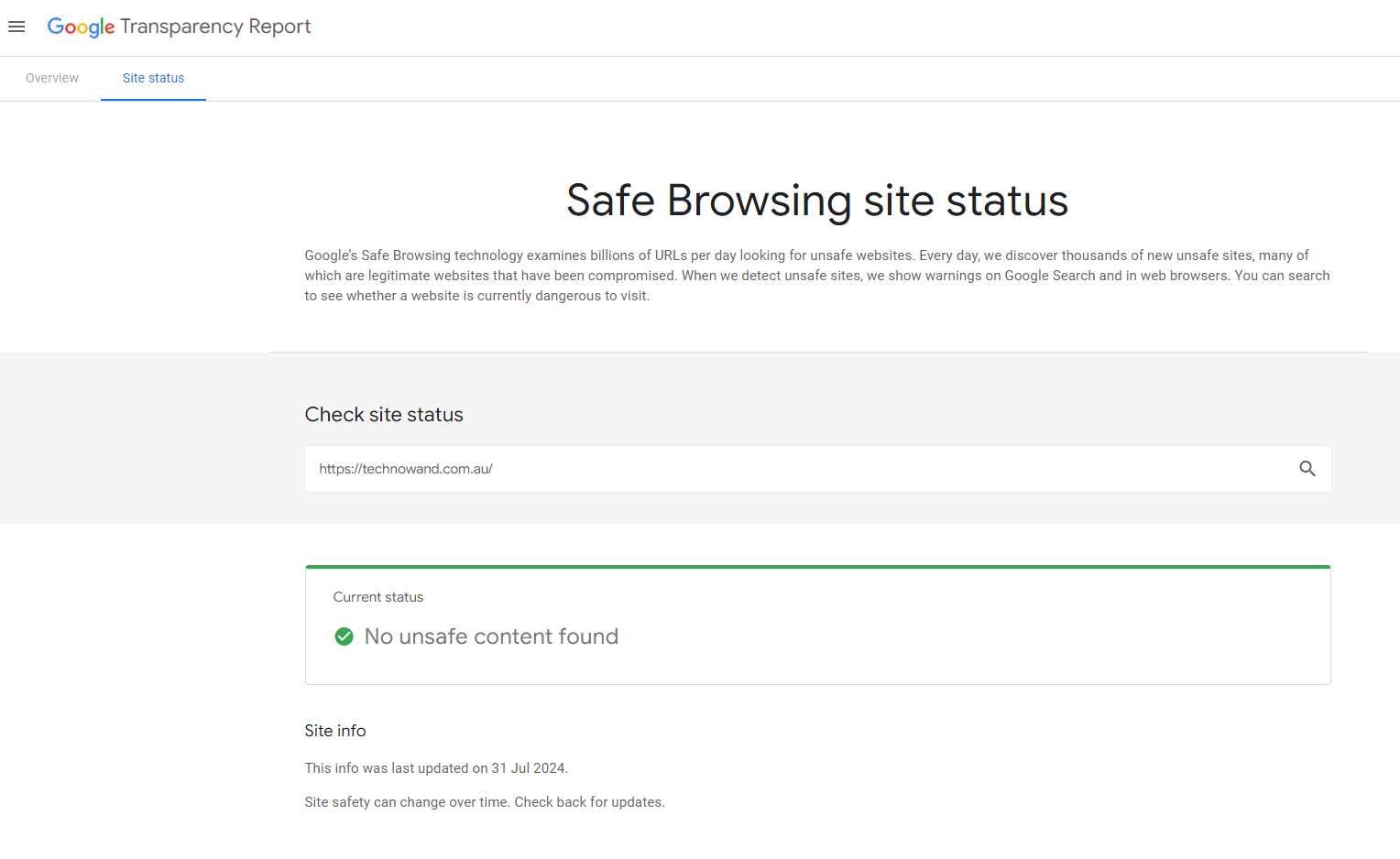
Tools: Use security plugins like Sucuri Site Check, Google Transparency Report, Quterra and Virus Total. 

Frequency: Weekly scans are advisable. 

 2. Checking Core, Theme, and Plugin Updates 

Keeping your website’s core, theme, and plugins up-to-date is crucial for maintaining optimal performance and security. Regularly checking and updating these components ensures that your site runs smoothly, remains protected against vulnerabilities, and leverages the latest features and improvements. 

3. Verify WordPress and PHP Versions for Optimal Site Performance 

Regularly checking and updating the versions of WordPress and PHP ensures your site operates efficiently and securely. Keeping these core components up-to-date helps improve performance, compatibility with plugins and themes, and protection against vulnerabilities. 

4. WP Toolkit Maintenance Checklist 

The WP Toolkit is a powerful tool for managing WordPress installations on your hosting platform. Regularly using this checklist ensures that your site remains secure, updated, and optimized. 

5. Maximizing Disk Space 

Efficient disk space management is crucial for maintaining website performance and avoiding disruptions. This checklist provides essential steps for maximizing disk space, including clearing old backups, managing files, and optimizing storage. By following these guidelines, you can ensure your site runs smoothly and efficiently. 

 6. Disk Usage Check 

Regularly checking your disk usage helps prevent performance issues and storage limitations. This maintenance checklist guides you through monitoring disk space, identifying large files or directories, and optimizing storage to ensure your website operates efficiently and avoids potential disruptions. 


7. Google Transparency Report Status Check 

Checking the Google Transparency Report status is crucial for ensuring your website’s security and trustworthiness. This maintenance checklist guides you through verifying your site’s safety status, identifying any security issues flagged by Google, and taking necessary actions to address potential risks. 

8. Ensure WP Child Plugin Installation 

Ensuring the WP Child plugin is installed is vital for effective WordPress site management. This checklist helps you verify the plugin’s installation, allowing for centralized management of site modifications and enhancing overall security and customization. Regular checks ensure that your site’s changes are properly managed and protected. 


9. Verify Mobile ‘Tap to Call’ Feature on Home Page Header 

Checking the ‘Tap to Call’ feature on your website’s mobile header ensures that users can easily contact you with a single tap. This checklist guides you through verifying the feature’s visibility, functionality, and accessibility on mobile devices, enhancing user engagement and improving customer communication. 

 10. Confirm Website Connection to Coding People 

Verifying your website’s connection to Coding People ensures seamless management and support. This checklist guides you through confirming the integration, resolving connectivity issues, and ensuring that your site is properly linked to their platform for optimal performance and assistance. 


11. Verify Contact Us Form Functionality 

Regularly verifying your website’s ‘Contact Us’ form is essential for maintaining effective communication with your visitors. This checklist ensures the form functions correctly, fields are properly validated, and submissions are successfully received, helping you address inquiries promptly and efficiently. If you need assistance with any issues, please Contact us | Technowand 

12. Verify SSL Installation 

Regularly verifying your SSL installation is crucial for maintaining secure, encrypted connections on your website. This checklist guides you through checking SSL certificate status, identifying any issues, and ensuring that your site provides a safe browsing experience for your visitors. Link to test SSL installation: Why No Padlock?

13. Monitor Google Searches 

Monitoring Google searches for your website helps ensure your search presence remains clean and free from spammy results. This checklist guides you through reviewing search results for any unauthorized or suspicious content, allowing you to address potential issues and maintain a positive online reputation. 

Link to Google Analytics for tracking and analysis: Google Analytics

14. Customer Email Notification 

Emailing customers is essential for maintaining clear communication and keeping them informed about website status or updates. This checklist ensures you effectively craft and send messages regarding maintenance outcomes, addressing any issues or confirming that the site is up-to-date, thereby enhancing customer satisfaction and transparency. 


Conclusion 

Maintaining a website is a continuous process that extends well beyond its initial launch. A thorough and regularly updated maintenance checklist is essential for ensuring your business website remains secure, performs optimally, and delivers an excellent user experience. From conducting security scans to verifying core updates and managing disk space, each aspect of this checklist plays a crucial role in preserving the integrity and efficiency of your site. 

By integrating these maintenance practices into your routine, you safeguard your website against potential threats, enhance its performance, and keep it aligned with the latest technological advancements. Whether it’s ensuring that your SSL certificate is properly installed or confirming the functionality of your contact forms, every task on this checklist is designed to support the smooth operation of your online presence. 

If you need help implementing or managing any of these maintenance tasks, don’t hesitate to reach out. Our team is here to assist you in keeping your website in top shape, ensuring that you can focus on growing your business with peace of mind.

Does all of this seem like too much effort? Let us look after your website for you

Please Contact us | Technowand for any support or questions you may have. 

How to View the Organization Chart in Microsoft Teams

Steps to View the Organization Chart in Microsoft Teams

Here’s a step-by-step guide to viewing the organization chart in Microsoft Teams:
1. Open Microsoft Teams:
– Launch the Microsoft Teams application on your desktop or access it via your web browser.

2. Navigate to the ‘Org’ Tab:
– In the left sidebar, locate and click on the “Org” icon. This icon might be under the “More added apps” section if it’s not immediately visible.

3. Access the Organization Chart:
– Click on the “Organization” tab to access the chart. You’ll see a graphical representation of your organization’s hierarchy.

4. Explore the Chart:
– Use the search bar to find specific employees or departments.
– Click on any person’s profile within the chart to view more details about their role, contact information, and team.

5. Utilize Search and Filter Options:
– Apply filters or search functionalities to narrow down your view to specific departments or teams.
– You can search by “Name” or “Alias”

6. Interact with the Chart:
– Hover over or click on names and roles to get additional information and insights about each person’s responsibilities and reporting lines.

Enhancing Your Experience with Microsoft Teams
For businesses looking to make the most out of Microsoft Teams and other Microsoft 365 applications, leveraging professional support services can be highly beneficial. At TechnoWand, we offer WordPress Maintenance Services and comprehensive M365 tech support in Canberra to help you optimize your digital tools and ensure smooth operations.

How to Update M365 User Profile with 3CX Extension Number?
Integrating communication tools can streamline operations and improve efficiency. If you’re using 3CX for your phone system and Microsoft 365 (M365) for your organization’s digital workspace, keeping user profiles synchronized is key. In this guide, we’ll walk you through the process of updating an M365 user profile with a 3CX extension number.

Before updating the M365 profile, you need to obtain the user’s 3CX extension number. Here’s how:

• To access the 3CX System, first log in to the 3CX Management Console with your credentials. Once logged in, go to the “Users” section, where you will see a list of users along with their associated extension numbers. Find the user whose profile you need to update and make a note of their extension number, as this is the number you will add to their M365 profile.

Now that you have the extension number, you can now update the M365 user profile. First open your web browser and navigate to the M365 Admin Center, then log in with your administrator credentials. From the dashboard, go to the “Users” section and select “Active users.” Locate and click on the user whose profile needs updating. Click “Edit” next to their profile information, and find the field for additional details or notes, which may vary based on your organization’s setup. Enter the 3CX extension number in this field, ensuring it is formatted correctly. Finally, review the information for accuracy.

Conclusion

Viewing the organization chart in Microsoft Teams is a simple yet powerful way to understand and navigate your company’s structure. By following these steps, business owners can enhance their team’s collaboration and communication efficiency. For additional support and tailored solutions to maximize the use of Microsoft 365 in your business, contact us today.

By integrating these tools effectively, you can ensure a more organized and connected workplace, driving productivity and success.

Feel free to reach out for any further assistance or to discuss how our M365 support services in Canberra can help your business thrive!

The relevance of custom software development for small and medium businesses.

Custom CRM software development can be a game-changer for businesses, enabling the creation of tailored solutions that align perfectly with their unique needs. Conversely, unlike one-size-fits-all solutions that can be limiting and hinder growth, custom CRM software offers limitless opportunities.. It allows businesses to redefine their digital architecture, enhancing efficiency and gaining competitive advantages.

The process of custom software development for small businesses involves planning, designing, and developing digital solutions tailored to a specific set of users, functions, and organizations. Custom software development for small businesses can help streamline operations and improve customer experience.  Moreover, it also helps gain a competitive advantage, regardless of the industry or business domain. Additionally, it enables businesses to understand customer pain points and predict future needs effectively.

Benefits of custom software development for companies.

Businesses benefit from custom software development in many ways. They can streamline processes, increase productivity, improve customer experience, and achieve business goals. Custom software development offers many benefits to businesses. such as :

Increased Productivity

Affordable custom software development aims to automate and streamline business processes, boosting productivity and providing a competitive advantage. Additionally, these cost-effective solutions enhance operational efficiency and minimize the risk of human error by reducing the need for manual labor

Enhanced user experience

A custom software development company near me offers a personalized experience to users. Unlike COTS software, which caters to a wide audience, custom solutions are tailored to meet unique challenges and specific business requirements. With features and technologies of your choosing, custom solutions help your organization achieve a leadership position in its respective domains.

Scalability and Flexibility

Custom software allows organizations to scale up or down according to their business needs. Custom software, unlike other applications, can be tailored to meet specific requirements.

Cost-Effectiveness

With custom software development services, you can conveniently plan the development process. You don’t need to invest a large amount of money all at once to benefit from automation. Based on your business plan and available funds, you can start by automating a single process and schedule other automation stages, making custom database development services more affordable.

Dependability

All organizations must ensure that their software is dependable. Outsource custom software development to effectively and securely streamline operations. Custom software developers use cutting-edge technology and leading industry protocols to secure applications, ensuring top-notch performance.

Types of custom software development.

Many types of custom software cater to the needs of companies across all industries. We’ll look at some of the most common custom software solutions that businesses can use to streamline operations and provide value to their customers.

Customer relationship management

Custom CRM software development is the most common solution used by small and medium businesses to strengthen customer relationships and ensure efficient management and tracking.

Enterprise Resource Planning (ERP)

This type of custom enterprise software helps to manage business workflows in real time. ERP is used by organizations to collect, store, manage and interpret data across different business sectors.

Content Management Systems (CMS)

Custom CMS software development services like WordPress help organizations design, update, and edit the various types of content on their websites.

Fintech Software

Fintech software is incredibly valuable for financial institutions and their customers, helping to manage banking activities, digital wallets, crowdfunding, cryptocurrency investments, and more. Moreover, fintech solutions enable financial firms to greatly enhance user experience while protecting customers from potential fraud and data theft.

E-commerce solutions

Custom software solutions for eCommerce are the most common type of custom software development. They enable businesses to boost their online presence and achieve higher ROI. These solutions are designed to increase online sales, streamline inventories, expand markets, build brand awareness, engage with customers, and execute effective marketing campaigns.

Factors that influence custom software development.

Developing custom software is a complex and challenging process that requires the technical expertise of a leading custom software development company‘s expertise. Here is a step-by-step guide to understanding the custom software development process.

Idea formulation and planning.

Understanding the business needs, risks, and objectives is the first step in developing custom software solutions for the IT industry. A custom software consultant collaborates with the client to gather information, identify trends, define requirements, and create a development plan.

Design development and prototyping

Once the custom software development firm has gathered the necessary information and identified the requirements, the next step is to design a user-friendly interface and create prototypes. This stage involves making a visual representation of the software, allowing stakeholders to give feedback and make any needed changes before developing the final product.

Deployment

Ultimately, once all testing phases are complete, therefore, the software is ready for launch.. An efficient custom software development company will integrate the tailored custom software solutions into the company’s infrastructure or submit it to the app store for a successful launch.

Maintenance and upgrade

After the software has been developed and deployed, it is required to maintain it. Regular maintenance Upgrades are necessary to keep the system up-to-date and effective. This phase therefore involves updating, fixing bugs, and providing constant support when needed.

Conclusion.

Partnering with a top custom software development company for outsourcing offers numerous benefits to businesses, along with valuable guidance throughout the development process. Therefore, these are the main reasons why it is important to outsource and consider the services for custom software development to build an application that helps to boost the productivity of a business.

How to Access Another User’s Mailbox in Microsoft 365

Introduction: A Story of Proactive IT Management

Imagine this: Jane, a small business owner in Sydney, is preparing for a crucial meeting with a potential client. As she reviews her emails, she realizes she needs access to her assistant’s mailbox to retrieve an important document. Panic sets in. But then she remembers that her IT support team at Technowand has already set up the necessary permissions for her. With a few clicks, she accesses the mailbox, retrieves the document, and heads into her meeting with confidence.

At Technowand, we understand the importance of seamless access to information. In this blog post, we will guide you through the process of accessing another user’s mailbox in Microsoft 365, emphasizing why this capability is crucial for small businesses in Australia.


Please ensure you have appropriate permission in place to access the mailbox.

How to Access the Mailbox


Open Outlook. Url – https://outlook.office.com/mail/
Click on your profile picture or initials in the top right corner.

menu

Open another mailbox.


select Open another mailbox.

menu

Type the email address.


Type in the email address of the mailbox you want to access.

menu

Open mail box.


Cick open

menu

Why Accessing Another User’s Mailbox is Important

Accessing another user’s mailbox in Microsoft 365 is not just a technical task; it’s a strategic move that can enhance productivity, ensure business continuity, and improve collaboration. Here’s why it matters:

  1. Enhanced Collaboration: In a dynamic work environment, team members often need to access each other’s emails to stay updated on projects, respond to client inquiries, or manage shared responsibilities.
  2. Business Continuity: In the event of an employee’s absence, having access to their mailbox ensures that critical communications are not missed, and business operations continue smoothly.
  3. Security and Compliance: Properly managed mailbox access helps maintain security and compliance by ensuring that only authorized personnel can access sensitive information.
  4. Efficiency: Quick access to necessary information without waiting for permissions can significantly boost productivity and reduce downtime.
Interesting Stats
Configure permissions to Access Another User’s Mailbox in Microsoft 365

Now, let’s dive into the steps to access another user’s mailbox in Microsoft 365. Follow these steps carefully to ensure a smooth process.

Step 1: Sign in to the Microsoft 365 Admin Center
  1. Go to the Microsoft 365 Admin Center.
  2. Sign in with your admin credentials.
Step 2: Navigate to Active Users
  1. In the left-hand menu, select Users
  2. Click on Active users.
Step 3: Select the User
  1. Find the user whose mailbox you want to access.
  2. Click on their name to open their properties pane.
Step 4: Assign Mailbox Permissions
  1. Go to the Mail tab.
  2. Select Mailbox permissions.
  3. Click on Edit under Read and manage permissions.
  4. Add the user who needs access to the mailbox.
  5. Click Save.

INSERT SCREENSHOT


Why Technowand Recommends This Approach

At Technowand, we believe in proactive IT management. By setting up mailbox access permissions in advance, we help our clients avoid last-minute hassles and ensure that their teams can work efficiently. Here’s why we recommend this approach:

  • Preventative Measures: Setting up permissions in advance helps prevent disruptions in case of unexpected absences or emergencies.
  • Proactive Security: By managing access permissions, we ensure that only authorized personnel can access sensitive information, reducing the risk of data breaches.
  • Streamlined Operations: Quick and easy access to necessary information helps streamline operations and improve overall productivity.
Real-World Applications

Consider the following scenarios where accessing another user’s mailbox can be beneficial:

  • Client Management: Sales teams can access each other’s emails to stay updated on client communications and ensure timely responses.
  • Project Collaboration: Project managers can access team members’ mailboxes to monitor project-related communications and ensure that deadlines are met.
  • Administrative Support: Administrative assistants can manage executives’ emails, schedule meetings, and handle correspondence on their behalf.
Technowand’s Commitment to Excellence

At Technowand, we pride ourselves on providing top-notch IT support services to small businesses across Australia. Our team of experts is dedicated to ensuring that your IT infrastructure is secure, efficient, and tailored to your business needs. With numerous 5-star reviews on Google, our clients trust us to deliver exceptional service and support.

Are you ready to enhance your business’s productivity and security with expert IT support services? Contact Technowand today to learn how we can help you manage your Microsoft 365 environment and much more. Visit our IT Support Services page, or get in touch with us through our Contact Us page. Don’t forget to check out our Microsoft Secure Score to see how we can help you improve your security posture.

Conclusion

Accessing another user’s mailbox in Microsoft 365 is a vital capability for small businesses. It enhances collaboration, ensures business continuity, and improves overall efficiency. By following the steps outlined in this blog post, you can set up mailbox access permissions and enjoy the benefits of a well-managed IT environment. At Technowand, we’re here to support you every step of the way.

How to Check Machine Name from Login Screen

In the bustling landscape of small business operations, technology plays a pivotal role. Imagine a scenario where a small business owner in Australia faces a critical issue: an employee is unable to log into their work computer. Frustration builds as time ticks away. But what if I told you that understanding how to check the machine name from the login screen could be the key to resolving this situation swiftly? This is just one of the many steps that Technowand, your trusted IT managed services partner, takes to safeguard our clients’ Microsoft 365 tenancies from potential threats.

In today’s digital age, where cyber threats are on the rise, knowing how to manage your IT environment is crucial. According to a report by Cybersecurity Ventures, cybercrime is predicted to cost the world $10.5 trillion annually by 2025, emphasizing the importance of proactive IT support services. This article will guide you through the significance of knowing your machine name, the steps to check it from the login screen, and how Technowand can help ensure your IT environment remains secure.

Why Knowing Your Machine Name is Important
Understanding your machine name is essential for several reasons:

1. Identification of Devices

  • Helps IT support quickly identify devices within a network.
  • Facilitates easier troubleshooting for IT issues.

2. Enhanced Security

  • Knowing device names aids in tracking unauthorized access attempts.
  • Allows for better management of user permissions and access controls.

3. Streamlined IT Support

  • Reduces resolution times during support calls.
  • Ensures that IT professionals can address specific machines directly.

4. Asset Management

  • Assists in keeping track of all devices connected to the network.
  • Helps in maintaining an accurate inventory for audits and compliance.

5. User Accountability

  • Ensures users are aware of their designated devices, which can reduce potential misuse.

Interesting Statistics
A study from IBM found that 95% of cybersecurity breaches are caused by human error. When users know their devices, they are more likely to recognize suspicious activities and report them promptly. Furthermore, a report by Ponemon Institute reveals that companies with effective security awareness training can reduce their risk of a data breach by as much as 70%.

Understanding and managing your devices can drastically reduce your business’s vulnerability to such threats.

Steps to Check Machine Name from Login Screen

For Windows:

  1. On the login screen, click the power icon (usually located in the bottom right corner).
  2. Hold down the Shift key and click Restart.
  3. When the recovery options appear, select Troubleshoot > Advanced options > Command Prompt.

  4. In the Command Prompt, type “hostname” and press Enter. Your machine name will be displayed.

For macOS:

  1. On the login screen, click the Apple logo in the top left corner.
  2. Choose Restart.
  3. When the system restarts, open Terminal (found in the Utilities folder).
  4. Type “scutil –get ComputerName” and press Enter. Your machine name will be shown.

Remember to take a screenshot of your machine name for future reference!

Proactive Measures with Technowand
At Technowand, we focus on proactive measures to keep your IT environment secure. We regularly review and manage all aspects of your Microsoft 365 tenancy, ensuring that you have the tools and support you need to prevent potential threats before they arise.

Preventative Strategies Include:

  • Regular audits of all connected devices.
  • User education on identifying and reporting suspicious activities.
  • Implementation of strict access controls based on machine names.

Conclusion
In conclusion, knowing how to check your machine name from the login screen is more than just a technical task—it’s a vital component of your business’s cybersecurity strategy. By understanding and managing your devices, you can significantly enhance your company’s security posture and streamline IT support processes.

Are you ready to take control of your IT environment? Technowand has earned numerous 5-star Google reviews from satisfied clients who appreciate our proactive approach to IT support services.

If you have any questions or need assistance, don’t hesitate to reach out to us at Technowand IT Support Services, or contact us directly at Technowand Contact Us.

Stay secure, and let us help you thrive in your business journey!

Additional Resources

By embracing proactive IT strategies, your small business can navigate the digital landscape with confidence and security. Don’t wait for a breach—act now!

.

How to Enable Unified Audit Log in M365

Introduction

Imagine this: You’re a small business owner in Australia, running a thriving company in the retail sector. One day, you receive an alert that there has been suspicious activity on your Microsoft 365 (M365) account. Panic sets in as you realize the potential risks to your business data. This scenario underscores the importance of having robust security measures in place, such as enabling the Unified Audit Log in M365.

At Technowand, we understand the critical role that security plays in protecting your business. We specialize in IT support services, ensuring that our clients’ M365 environments are secure and compliant. In this blog post, we’ll walk you through the steps to enable the Unified Audit Log in M365, explain why it’s essential, and provide insights into how it can benefit your business.

Why Enabling Unified Audit Log in M365 is Important
  1. Enhanced Security Monitoring
    • The Unified Audit Log captures user and admin activities across various M365 services, providing a comprehensive view of actions taken within your environment. This helps in identifying and mitigating potential security threats.
  2. Compliance and Legal Requirements
    • Many industries have strict compliance regulations that require detailed logging of user activities. Enabling the Unified Audit Log ensures that your business meets these legal requirements, avoiding potential fines and legal issues.
  3. Incident Response and Forensics
    • In the event of a security breach, having detailed logs is crucial for conducting thorough investigations. The Unified Audit Log provides the necessary data to understand the scope of the breach and take appropriate actions.
  4. Operational Insights
    • Beyond security, the audit logs offer valuable insights into user behavior and system performance. This information can be used to optimize operations and improve overall efficiency.
  5. Proactive Threat Detection
    • By regularly reviewing audit logs, businesses can detect unusual activities early and take preventive measures before they escalate into significant issues.
Steps to Enable Unified Audit Log in M365

Step 1: Access the Compliance Center

  1. Log in to your M365 admin account.
  2. Navigate to the Compliance Center at compliance.microsoft.com.

Step 2: Enable Audit Logging

  1. In the Compliance Center, select Audit under the Solutions section.
  2. Look for a blue banner that says Start recording user and admin activity.
  3. Click on the banner to enable the Unified Audit Log.

Step 3: Verify Audit Log Activation

  1. To ensure that the audit log is active, you can run a query based on users and activities.
  2. Navigate to the Audit section and use the search functionality to verify that events are being recorded.

Step 4: Configure Audit Log Settings

  1. Customize the audit log settings to meet your business needs.
  2. Set retention policies and specify the types of activities to be logged.

Step 5: Regularly Review Audit Logs

  1. Schedule regular reviews of the audit logs to monitor for any unusual activities.
  2. Use the insights gained from the logs to improve your security posture.

INSERT SCREENSHOT

Interesting Stats and Data
Conclusion

At Technowand, we do this and many more on our customers’ M365 tenancy to keep bad guys away. Our proactive approach ensures that your business remains secure and compliant, giving you peace of mind.

Are you ready to enhance your M365 security? Contact Technowand today to learn more about our IT support services and how we can help protect your business. With numerous 5-star Google reviews, our clients trust us to deliver exceptional service and support.